Free beta · Windows & macOS (Apple Silicon)
A performance rack for plugins, hardware, and live inputs.
Pomar Rack is a touch-first 16-track VST host for Windows and macOS — built for live performance, multi-channel audio interfaces, and fast hands-on control.
Free beta for early testers. Windows and Apple Silicon macOS builds available now — both still evolving quickly. Intel Macs coming later.
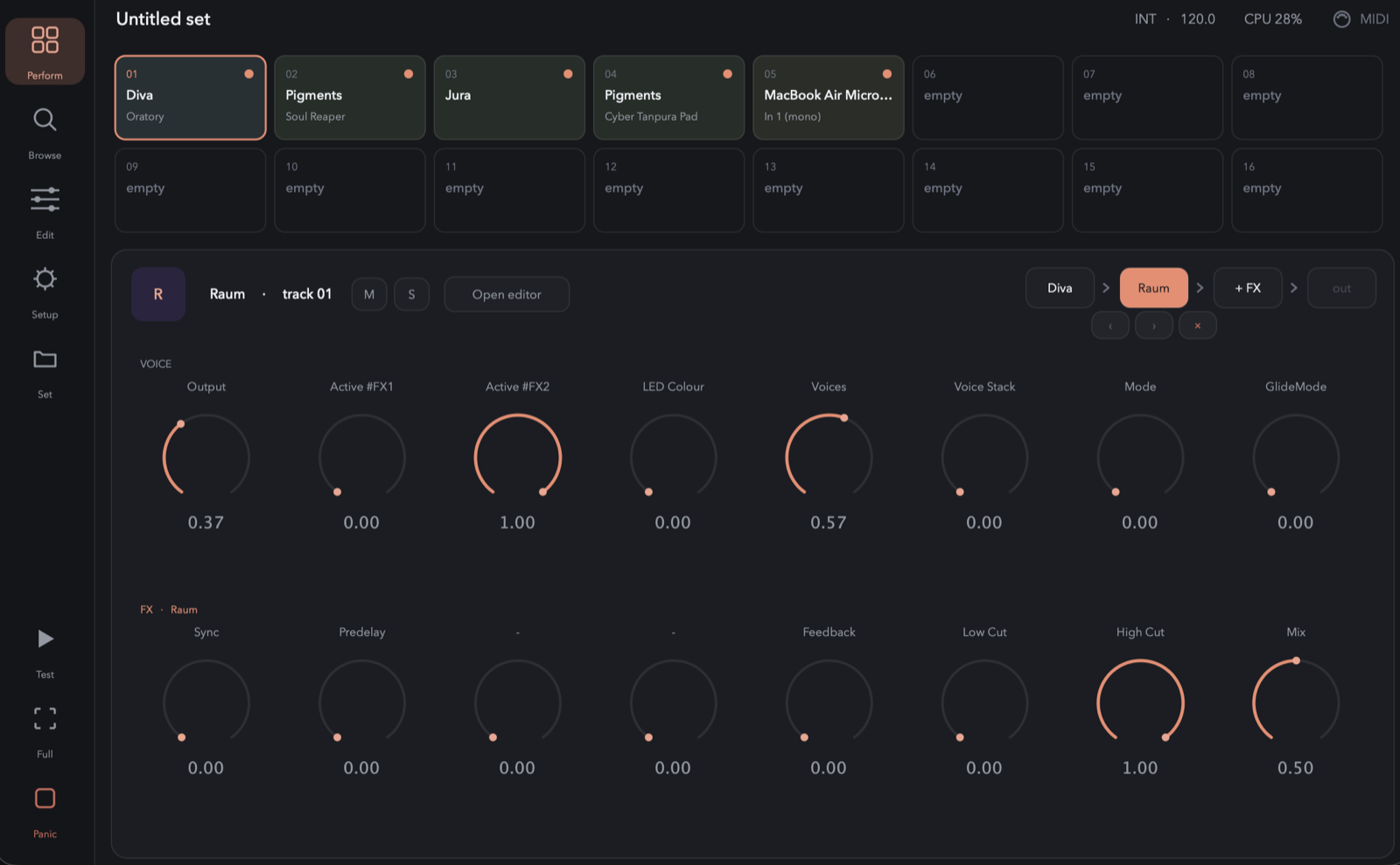
16 tracks · sources · FX chains · touch-first performance
What is Pomar Rack?
Not a DAW. Not a patchbay. A playable rack.
Pomar Rack is designed for musicians who want to perform with software instruments, effects, and live audio inputs — without building a complex studio session.
source → FX chain → output
A source can be a plugin, a preset, or a live audio input from an interface like the TX-6. Add effects, mute or solo tracks, save sets, and perform from a touchscreen or controller.
- 16-track source + FX engine
- VST3 plugin hosting
- Live audio input tracks
- Per-track FX chains
- Touch-first 8+8 performance grid
- NKS-first preset & macro support
- Set management: New, Load, Save, Save As
- Built for Windows / macOS performance rigs
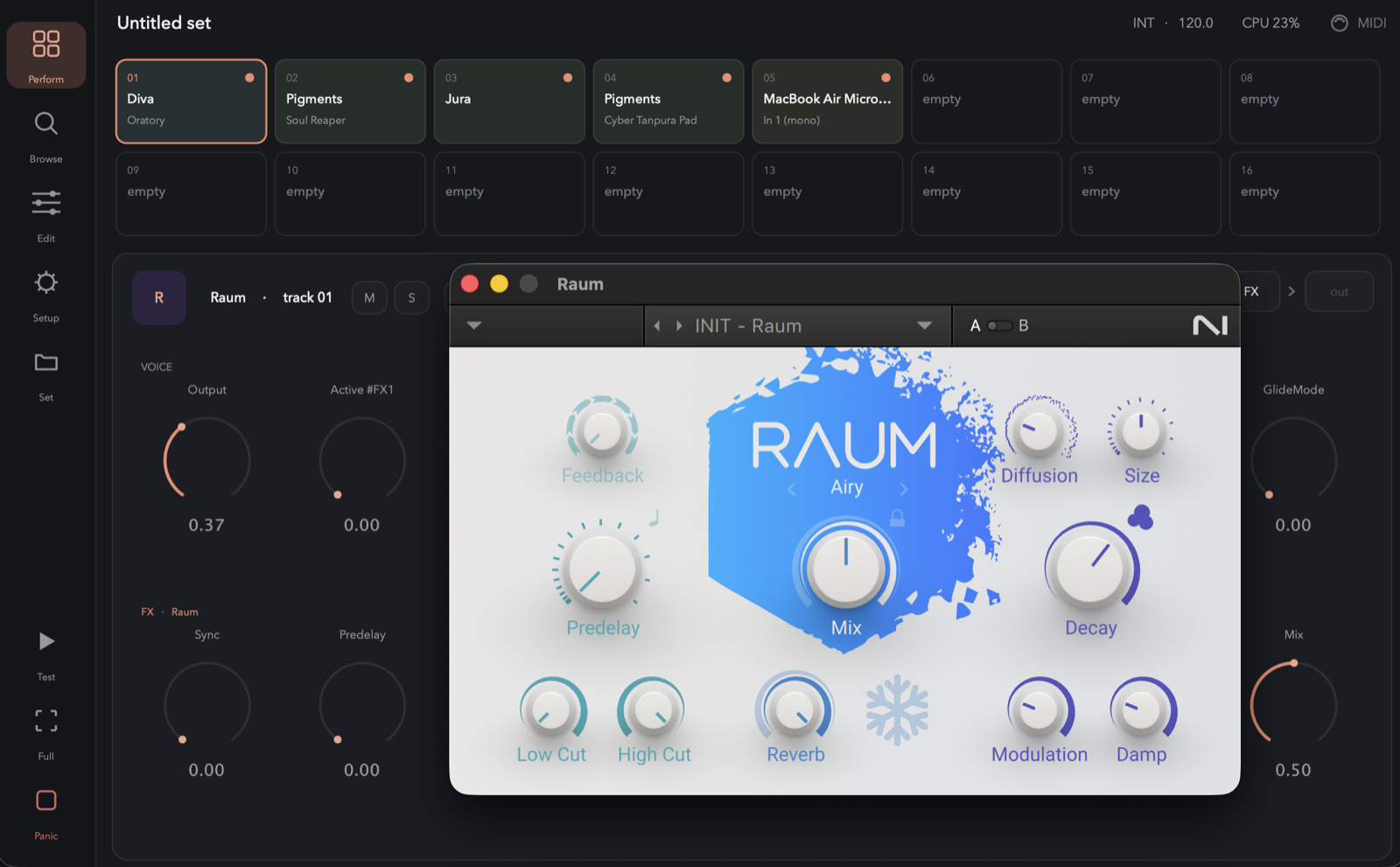
The next layer · Pomar One Alpha Preview
From instrument to composition.
Pomar Rack lets you perform plugins like an instrument. Pomar One turns that instrument into a complete musical workspace — multiple parts evolving together, all of it still playable.
Most DAWs are built around arranging a timeline. Pomar One is built around performing a composition: the music keeps evolving while you stay in control.
Pomar Rack · plugins → instrument
Pomar One · plugins → instrument → composition
Pomar One includes everything in Pomar Rack — the same sounds, presets and effects — then adds sequencing, generative composition and live performance.
- Variations — every track stays alive with alternative ideas, launched while the piece plays
- Generative sequencing alongside traditional step sequencing — Euclidean, Turing, Random Walk, Arp
- Perform the composition — launch, reshape, morph while it runs
- Step sequencing across all 16 tracks — patterns per track, not one loop
- Built-in scales keep generated notes musical
- Your plugins stay your instruments — Pigments, Diva, Kontakt, your effects; nothing replaced
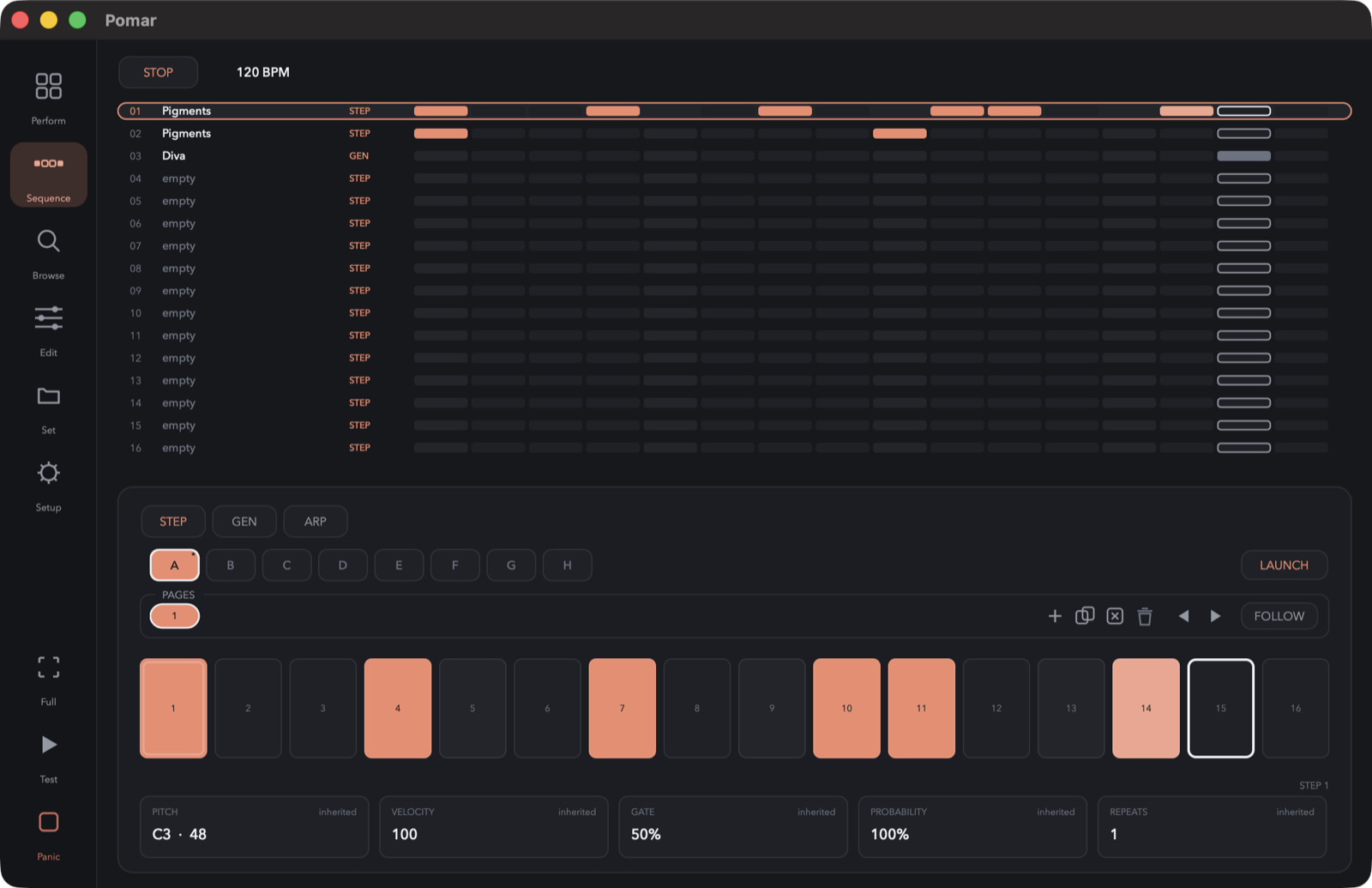
Pomar Rack is where your sounds live. Pomar One is where your music lives.
Already using Pomar Rack? Nothing gets left behind — Pomar One includes the complete Rack workflow, the same library and the same plugin environment. It starts where Rack ends.
Built for live rigs
Turn your interface into a performance rack.
Connect a multi-input audio interface and use Pomar Rack as a live FX rack for hardware synths, drum machines, microphones, and external gear. Assign inputs to tracks, add effects, and control everything from a simple performance surface.
TX-6 In 1/2 → Raum → out
TX-6 In 3/4 → Distortion → Delay → out
Pigments → Chorus → Reverb → out
- Select input and output devices in Setup
- Assign stereo input pairs to tracks
- Use plugins and live inputs together
- Mute and solo tracks during performance
- Save each setup as a Set
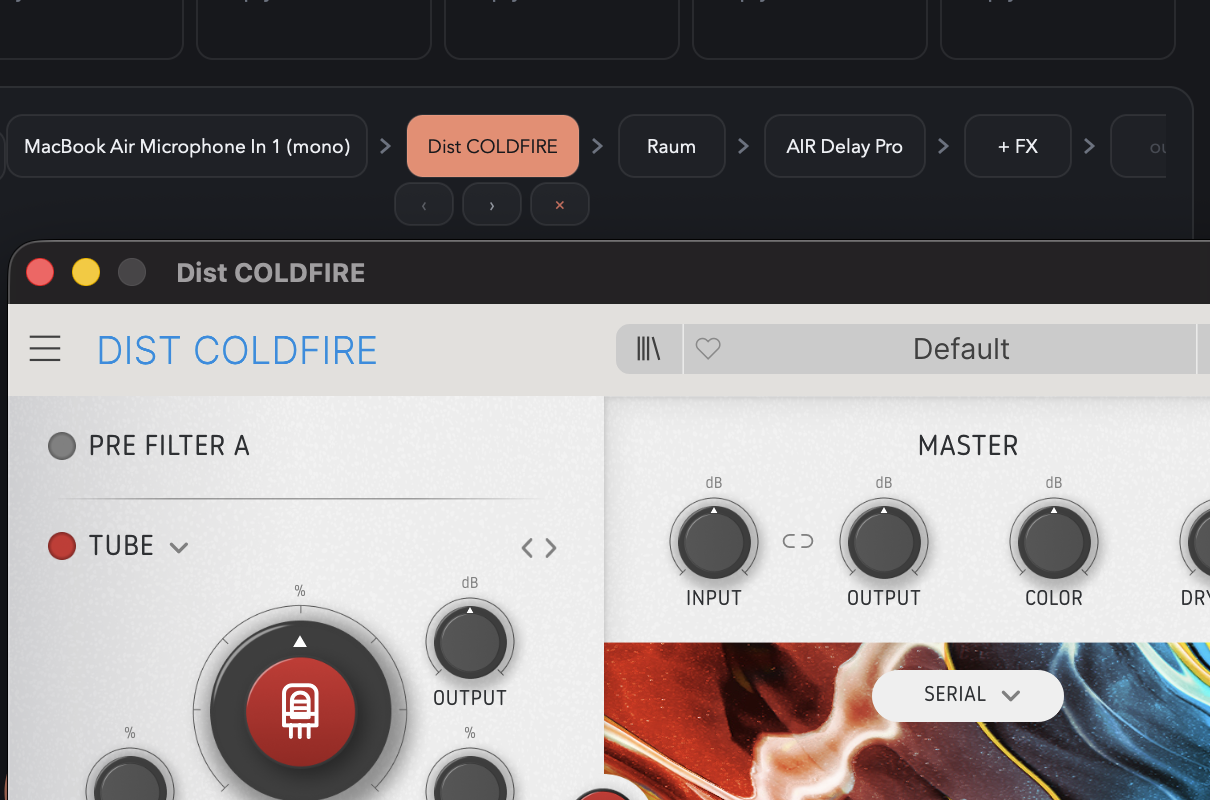
Use case · Portable rig
A live FX rack you can carry.
Run Pomar Rack on a touchscreen Windows handheld like the Legion Go, connect your audio interface, and turn external instruments into a portable, multi-channel performance rig.
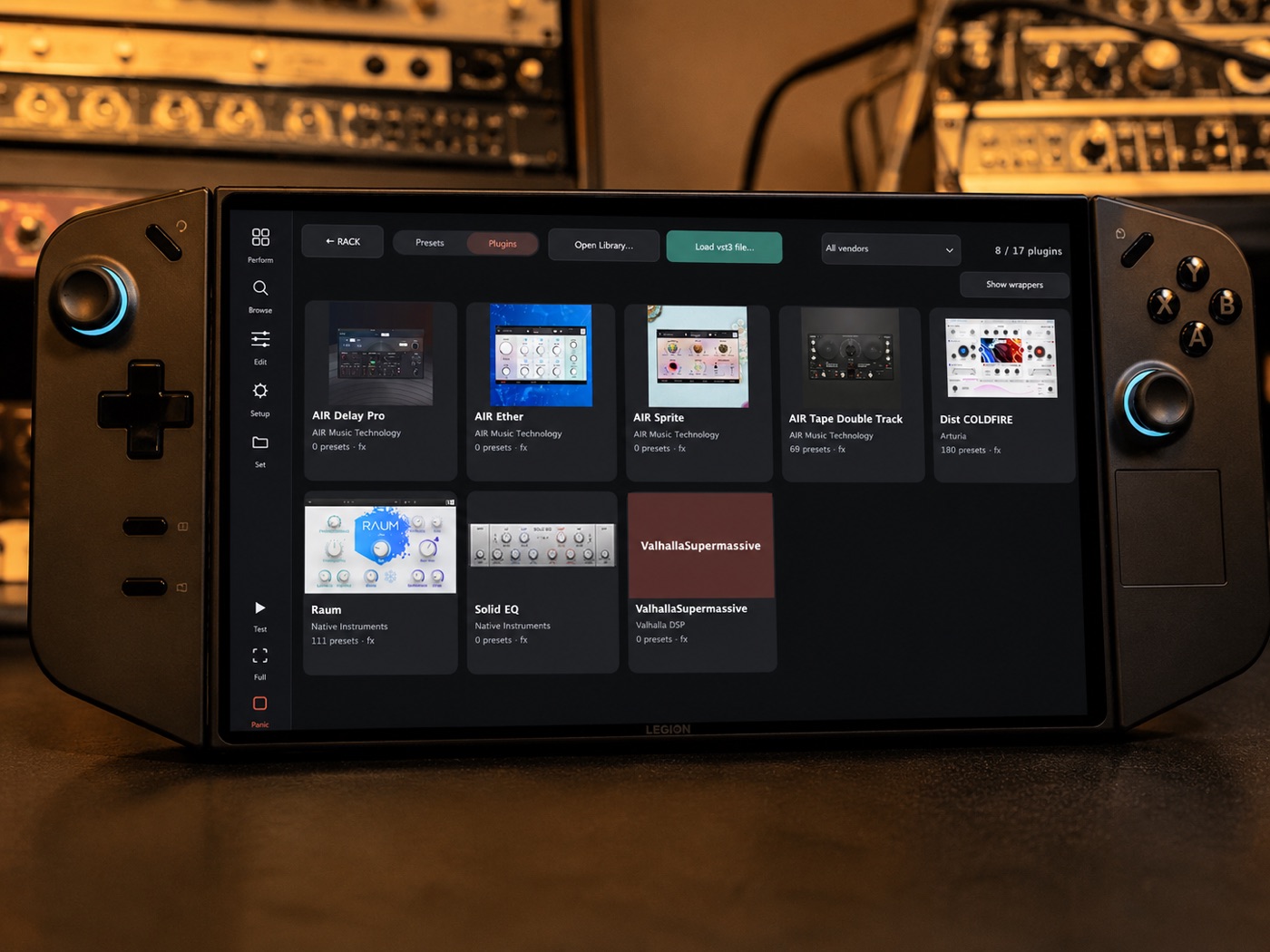
Your synths and drum machines stay physical — Pomar Rack is the touch-first rack that glues the performance together.
Fast sound loading
Find sounds, not files.
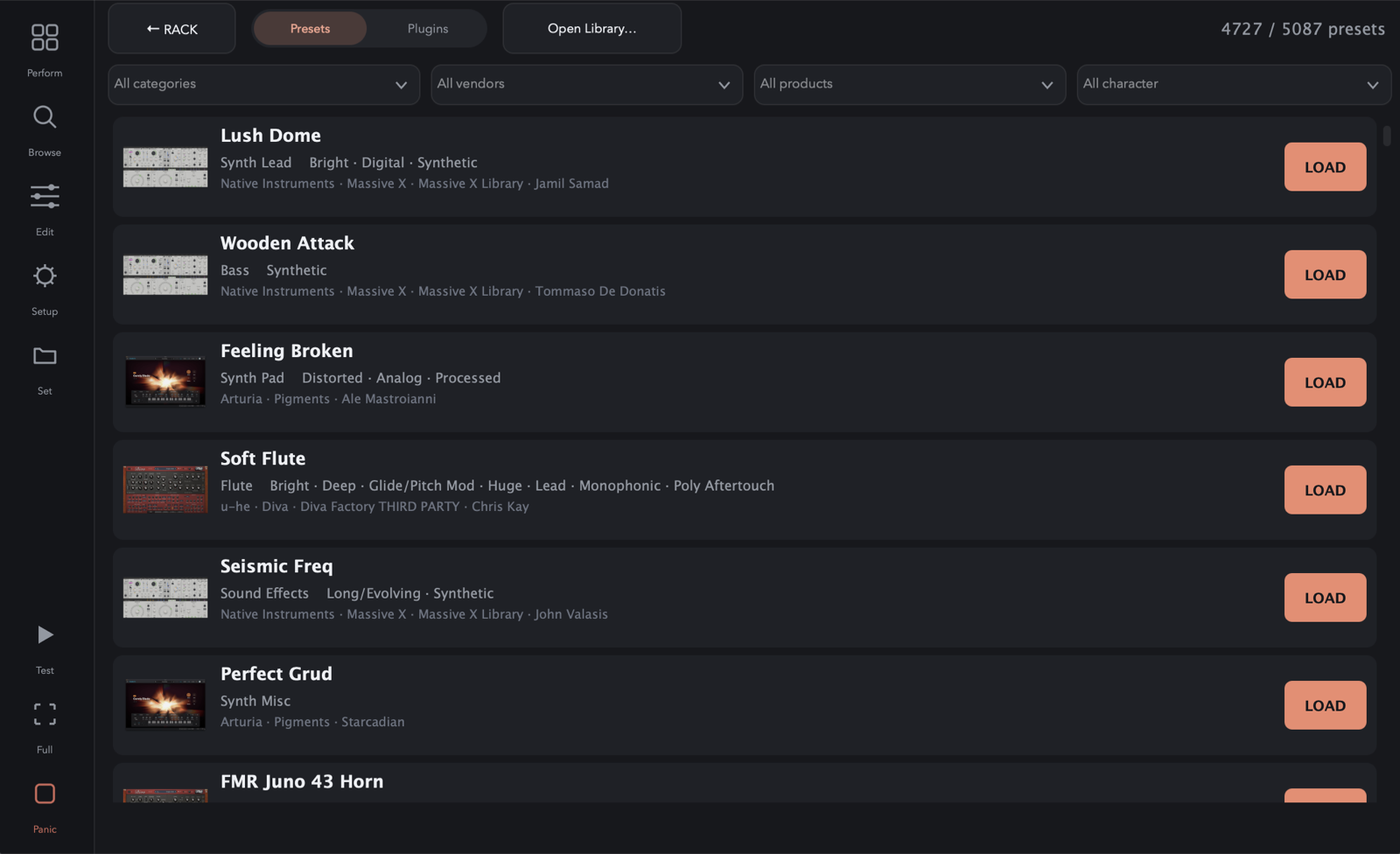
Pomar Rack uses an NKS-first library approach to make compatible presets and macros feel performance-ready. When NKS data is available, Pomar Rack can show curated macro controls instead of raw plugin parameters. For plugins without indexed presets, you can still load the plugin directly and use its native editor.
Your library is built locally on your machine. Pomar Rack does not ship a fixed plugin index — every system has different plugins, paths, and content.
- NKS-backed preset browsing
- Curated 8-knob macro rows when available
- Raw plugin parameter fallback
- Plugin and preset browser
- In-app Library Refresh
Touch-first performance UI
Made for screens you can actually touch.
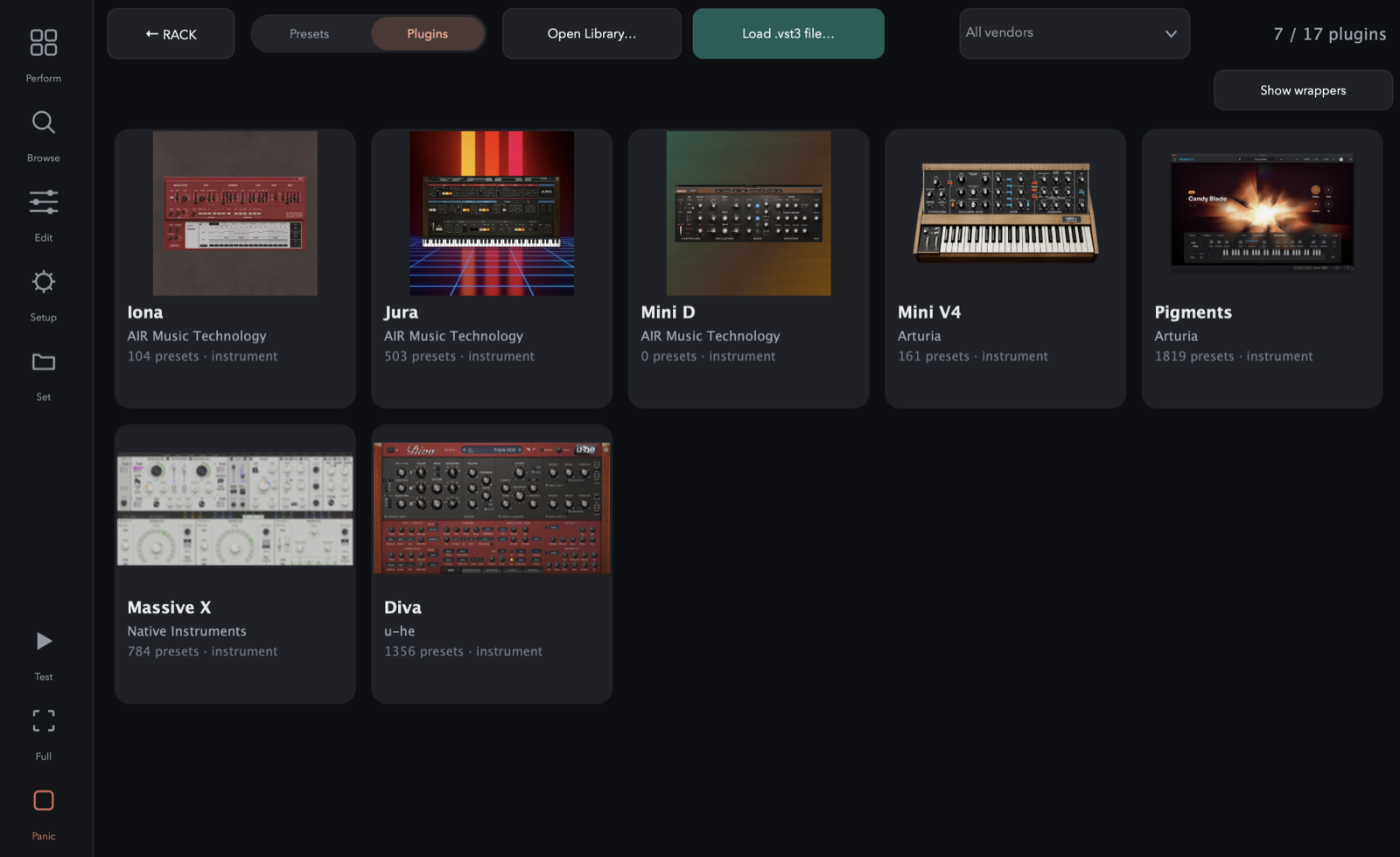
Pomar Rack is designed around large, direct controls instead of small desktop menus. Track pads, source cards, FX chains, mute/solo, and set management are built for fast use on touchscreens like the Legion Go.
- Large card-based source picker
- 8+8 track grid
- Glanceable track colours
- Chain-based FX editing
- Touch full-screen mode
- No nested menus as the primary workflow
The name
Pomar means “orchard.”
In Portuguese, a pomar is an orchard — many different fruits growing together in one place. That’s the whole idea behind the instrument: not one machine with sixteen identical channels, but sixteen independent tracks, each free to grow its own flavour.
Sixteen tracks. Sixteen flavours. One performance.
The Pomar ecosystem
One musical workflow. Three products.
Start with Pomar Rack. Expand into Pomar One. Or choose the same composition workflow in dedicated hardware with Pomar Play.
Pomar Rack
Plugins → Instrument. Sources, live inputs, effects, macros — the software rack you play.
Pomar One
Plugins → Instrument → Composition. Everything in Pomar Rack, plus variations, generative sequencing and performance.
…and the composition workflow comes in two embodiments:
Pomar One
The complete application on macOS and Windows — your plugins, your library, the whole composition environment in one program.
Pomar Play
Instrument → Composition, as a dedicated instrument — hands on, away from the computer. VST hosting stays on the desktop.
What runs where
Hollow & dashed — in development.
Pomar Rack — I organize my instruments. · Pomar One — I compose with my instruments. · Pomar Play — I compose away from the computer.
Why not just use a DAW?
Because performance is not arrangement.
DAWs are powerful, but they are built around timelines, tracks, editing, and production. Pomar Rack is built around live use: sources, effects, touch controls, and fast set recall.
Just the rack you need to play.
- No timeline
- No routing matrix
- No mixer-page sprawl
- No preset-aggregator dependency
- No complex patchbay workflow
Downloads
Download Pomar
Both products are free for early testers and changing quickly. Pomar Rack is in beta — usable daily, still evolving. Pomar One is an alpha preview: the composition layer is playable and we want your feedback, but major parts are still being designed.
Pomar Rack
The performance rack — your plugins, played like an instrument.
Windows installer — or the portable ZIP.
macOS: Apple Silicon (.zip).
Latest release v0.12.0
Pomar One
Includes everything in Pomar Rack — and adds sequencing, variations and Session View.
Windows installer — or the portable ZIP.
macOS: Apple Silicon (.zip).
Latest release v0.2.0
- Windows & macOS (Apple Silicon)
- VST3 plugins supported
- Run Library Refresh after installing
- macOS is unsigned — right-click → Open
- Some features are still evolving
Changelog